

 Written by
A WooCommerce store doesn't usually have problems with its products. It has problems because there are hundreds of stores selling the same things, and Google has no reason to choose yours.
Successful WooCommerce stores treat SEO as an ongoing process rather than something that can be handled through a single plugin setting. Professional WooCommerce SEO services involve keyword research, page optimization, technical optimizations, content development, and link building.
In this guide, we’ll cover some practical WooCommerce SEO strategies along with the WordPress setup needed to support your store's long-term search performance.
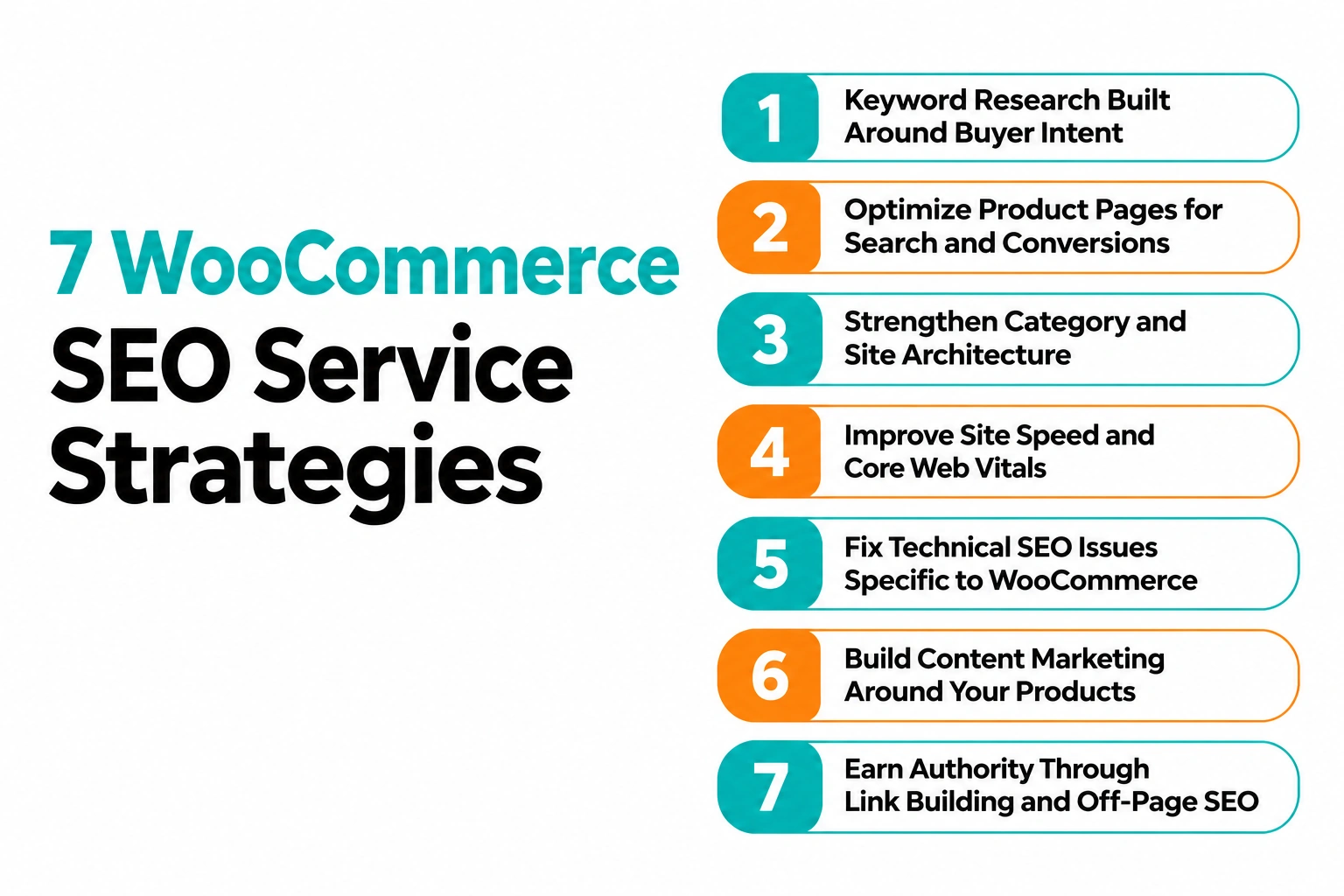
1. Keyword Research Built Around Buyer Intent
Ranking for the wrong keywords brings traffic that never buys, so intent comes first.
Transactional vs. Informational Keywords
As a WooCommerce SEO specialist, our first check is whether a store targets keywords people use to buy or to browse. "Best running shoes" and "buy Nike Pegasus size 10" are different customers.
-
Transactional (product names, "buy", "price"): map to product and category pages
-
Informational ("how to choose a trail shoe"): map to blog content.
Long-Tail Product and Category Keywords
Ahrefs shows that 93% of keywords in its US database have fewer than 10 searches each month. It's much easier to rank for phrases like "waterproof hiking backpack 40L" than for broad general terms.
-
Mine product attributes: size, material, use case, brand
-
Check Search Console for queries already earning impressions
Mapping Keywords to the Right Pages
Two pages chasing the same term split your ranking signals. Google's SEO Starter Guide begins with understanding what users search for, and we follow the same order.
-
One primary keyword per page
-
Keep the keyword map in a simple spreadsheet
2. Optimize Product Pages for Search and Conversions
Several elements influence how well a product page performs in search results and how effectively it converts visitors into customers.
Unique Titles, Descriptions, and Product Copy
Product pages turn rankings into revenue, so these WooCommerce SEO optimization best practices are most important here. Manufacturer copy pasted across dozens of stores gives Google no reason to prefer yours.
-
Write a title tag and meta description for every product
-
Describe use, specs, and who the product suits
Image Optimization and Alt Text
-
Reduce the size of your image before uploading it.
-
Give each file a name.
-
Rather than the keyword, write the alt text, which should clearly describe the product, for example, "black leather laptop sleeve, 14-inch".
Product Schema for Price, Reviews, and Availability
Google lists its requirements in the Product structured data documentation. Its Rakuten case study reports 1.5x longer sessions after structured data was added.
We have seen listings showing price and star ratings stand out clearly against plain blue links.
3. Strengthen Category and Site Architecture
Search engines and shoppers both follow your structure, so it needs to be easy to follow.
A Clean, Logical Category Hierarchy
Category pages usually target your highest-value keywords, yet they are the most neglected pages we come across. Baymard's benchmark rates well over half of leading ecommerce sites' homepage and category navigation as mediocre to poor, so a clean layout is a real advantage.
-
Keep it shallow: Home > Category > Subcategory > Product
-
Keep important products within a few clicks of the homepage wherever practical, using clear category structures and internal links.
SEO-Friendly URLs and Breadcrumbs
-
Use short, readable URLs that include the category or product name
-
Add breadcrumbs with BreadcrumbList markup
Internal Linking Between Categories, Products, and Blogs
-
Link categories to products and products to related products
-
Link blog posts to both
This is where our ecommerce SEO services usually begin.
4. Improve Site Speed and Core Web Vitals
A slow store loses shoppers before they see a single product.
Hosting, Caching, and CDN
Speed is a sales problem first and a ranking problem second. Google research found 53% of mobile visits are abandoned when a page takes longer than three seconds to load.
A Google-commissioned Deloitte study also found that a 0.1-second mobile speed improvement lifted retail conversions by 8.4%. As per our experience, quality hosting, page caching, and a CDN deliver the biggest WooCommerce wins.
Image Compression and Lazy Loading
-
Serve compressed WebP images
-
Lazy load images below the fold
-
Remove unused scripts and fonts
Mobile-First Performance
Aim for these Core Web Vitals targets:
-
LCP under 2.5 seconds
-
INP under 200 milliseconds
-
CLS under 0.1
Always test on a real phone, because a large share of your shoppers will be on one.
5. Fix Technical SEO Issues Specific to WooCommerce
WooCommerce has quirks that quietly hurt rankings when nobody manages them.
Duplicate Content from Filters, Variations, and Tags
WooCommerce creates URLs with features like tag archives, sorting choices, variations, and filter parameters that you never would have thought of. Filter URLs may result in overcrawling and impede content discovery, according to Google's multifaceted navigation guidance.
-
Use robots.txt to block low-value filter URLs.
-
Direct those filter URLs' canonicals to the page.
Canonicals, Sitemaps, and Crawl Budget
-
Use canonical tags to consolidate duplicates
-
Noindex thin tag archives
-
Submit an XML sitemap with only indexable products and categories
Out-of-Stock and Discontinued Products
-
Temporarily out of stock: keep the page live with a back-in-stock option
-
Discontinued: 301 redirect to the closest category or replacement product
-
Never let them 404 silently
6. Build Content Marketing Around Your Products
Content reaches shoppers who are not ready to buy yet and builds trust before they are.
Buying Guides, Comparisons, and How-Tos
Product pages cannot answer every question a shopper has. Guides and comparisons catch people earlier in their search.
Google's guidance on helpful, people‑first content favours first‑hand experience. Include testing, photos, and specifics.
Topic Clusters That Support Product Pages
-
One guide for each product category
-
Supporting articles, each connecting to related products
Our organic SEO services cover how this fits into a wider plan.
Customer Reviews and User-Generated Content
Reviews give every product page fresh, unique content and the trust signal shoppers look for. Northwestern's Spiegel Research Center found a product with five reviews is 270% more likely to be purchased than one with none.
Here is how we handle reviews on a WooCommerce store:
-
Send an automated review request about a week after delivery, because stores that simply wait for reviews rarely collect enough
-
Keep the verified owner label switched on, since it adds credibility
-
Include review ratings in your Product schema so stars can appear in search results
-
Add a customer Q&A block ("does this fit a 15-inch laptop?") to capture long-tail queries in your buyers' own words
-
Reply to every review, and never fake or hide the negative ones
7. Earn Authority Through Link Building and Off-Page SEO
Links act as votes of trust, and earning them takes a deliberate plan.
Digital PR, Guest Posts, and Partner Links
Backlinko looked at 11.8 million search results. Discovered that the top Google result has approximately 3.8 times more backlinks than the results in positions two to ten. This is a correlation, not a promise, but it lines up with what we observe in competitive niches.
-
Pitching PR stories and guest posts to niche blogs.
-
Getting listed on supplier and manufacturer where‑to‑buy pages.
-
Publishing resources such as size guides.
Avoid paid link networks and schemes designed to manipulate search rankings. Google's spam policies classify buying or selling links that pass ranking credit as link spam. Paid placements should use appropriate link attributes, such as rel="sponsored."
Google Business Profile and Brand Mentions
-
Complete your Google Business Profile if you have a physical location
-
Ask for a link wherever your brand is mentioned without one
WordPress WooCommerce SEO: Setting Up Your Store to Sustain Long-Term Rankings
Your WordPress configuration decides whether the strategies above can actually deliver.
Why WordPress Setup Matters
Every strategy above sits on your WordPress foundation. WordPress powers over 40% of all websites, so it is flexible, but only as good as its configuration.
Choose a Lightweight Theme and One SEO Plugin
-
Choose a theme that's light in weight and has good code instead of a heavy theme that does many things
-
Pick one of Yoast SEO, Rank Math, or All in One SEO; never two of them
-
Set up product schema, sitemaps, and breadcrumbs
Fix Permalinks
-
Use post-name permalinks and shorten the product base where it helps
-
On a live store, add 301 redirects for any URL you change
Check Essential WordPress Settings
-
Run the whole site on HTTPS
-
Under Settings > Reading, make sure "Discourage search engines from indexing this site" is unticked
This setting asks search engines not to index your website. We’ve seen it accidentally left enabled after a website launch, preventing search engines from properly indexing important pages.
Control Plugin Bloat
This is the most common cause of slow WooCommerce sites.
-
Audit every plugin quarterly
-
Replace heavy plugins with lighter alternatives
If your theme or build needs rework, our WordPress development services can help.
Why Choose a Professional WordPress WooCommerce SEO Service
Doing this in-house is possible, but the right partner saves time and costly mistakes.
Why DIY Often Falls Short
You can handle the basics in-house, such as titles, alt text, and product descriptions. The real problems sit in the parts you cannot see from the WordPress dashboard.
In our experience, these are the mistakes that quietly cost stores sales:
-
A wrong canonical on variable products, which sends ranking signals to the wrong URL
-
Filter and sort URLs left crawlable, so Google wastes crawl budget on near-duplicate pages
-
A noindex setting carried over from staging after launch
-
Discontinued products left to 404 instead of redirecting to a relevant category
-
A plugin update that breaks schema or slows pages, noticed weeks later
Each of these can run for months because the store still looks fine. A WooCommerce SEO specialist knows where to look and catches them in a routine audit, not after a traffic drop.
What a Professional WooCommerce SEO Agency Delivers
A professional WooCommerce SEO agency understands platform quirks like variations, filters, and plugin conflicts. A good WooCommerce SEO company should:
-
Check your store carefully. Give priority to fixing SEO-friendly URLs and breadcrumbs based on how much money they can bring.
-
Provide a report that focuses on sales numbers, not on ranking positions.
-
Adjust WooCommerce SEO optimization services so they match your products and business goals.
Our WooCommerce SEO services are built on this approach.
Conclusion
WooCommerce SEO is not something you do once and forget. Traffic and sales increase when you use keywords that match what buyers are looking for when pages are set up properly, when the technical side is clean and when the content is useful. All these things need to work on a WordPress site that is set up right.
Stores that consistently invest in SEO are better positioned to achieve sustainable organic growth. Start by addressing technical issues and improving on-page elements. Then, build relevant content, earn quality backlinks, and regularly monitor performance through Google Search Console and GA4.
Get a Free SEO Audit
If you want an expert to lead this, DIGITECH India is a WooCommerce SEO agency that can audit your store and build a plan around your revenue goals. Contact us for a free SEO audit or consultation.


